Floor-plan inventory
See hot desks, dedicated desks, and offices with live availability — not a generic booking grid alone.
Industry-specific modules · Launch
Run desks, private offices, credits, visitors, and mailroom from one modular CRM built for coworking.
Coworking is the first industry pack ModulCRM ships, because it is the industry we run day to day ourselves. A generic booking calendar is not enough for a flex space — members need to see an actual floor plan of hot desks, dedicated desks, and private offices with live availability, not just a list of time slots. The Coworking module builds that floor-plan inventory directly on top of the CRM and Booking modules, so every desk and office has real-time status tied to the member or company renting it.
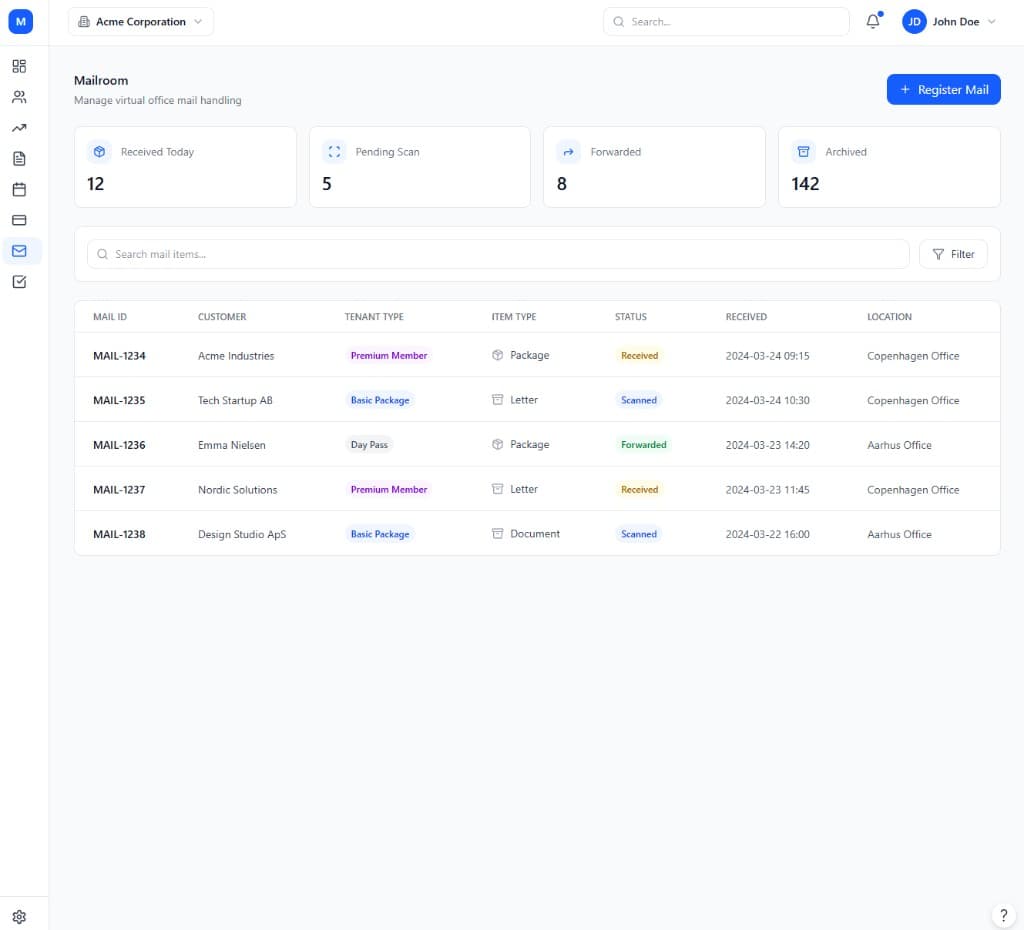
Day-to-day operations for a coworking space go well beyond desk booking. Members need a self-service portal to reserve meeting rooms, spend monthly credits, and see their own entitlements. Front-desk and facilities staff need visitor management with QR guest passes, mailroom handling for packages and letters, and move-in/move-out checklists when a company's office license starts or ends. The Coworking module brings all of this into one place instead of stitching together a booking tool, a separate mailroom app, and a spreadsheet for licenses.
As a coworking business grows past one site, the Growth tier adds credit packs with rollover rules, access control integrations for doors and turnstiles, and multi-location governance for shared price books and holidays. Enterprise-tier operators — running large or multi-city portfolios — get dynamic pricing and yield management, IoT occupancy signals, and a full API for doors, Wi-Fi, and printers, so the physical space and the CRM stay in sync automatically.
Because the Coworking module shares its underlying data with CRM, Invoice, Booking, and Subscriptions, an operator never has to explain a member's history twice — front desk staff, community managers, and billing all see the same plan, credit balance, and booking record the moment something changes, whether that update happened at the door, on the portal, or in a support conversation.
Teams choose Coworking because a generic booking calendar cannot handle desk inventory, credits, mailroom, and access control the way a flex space needs.
See hot desks, dedicated desks, and offices with live availability — not a generic booking grid alone.
Members book resources, spend credits, and manage day-to-day access without constant staff help.
Mailroom, visitors, move-in/out, and entitlements sit next to CRM, invoices, and subscriptions.
None of this requires enabling any other module first. Coworking is priced and tiered on its own, so a team can adopt it purely for what it does, and connect it to the rest of ModulCRM only when — and if — that becomes useful.
A typical path from setup to day-to-day use of the Coworking module.
01
Lay out hot desks, dedicated desks, and private offices on an interactive floor plan tied to real-time availability.
02
Set up membership plans and entitlements from the Subscriptions module, then give members access to the self-service portal.
03
Handle mailroom items, visitor QR passes, and move-in/move-out checklists from the same workspace as bookings and billing.
04
See utilization by desk or office and revenue per square metre as your space fills up, informing pricing and expansion decisions.
Coworking is used differently depending on the size and shape of the team running it, but these are the situations where it comes up most often.
Each module is available in Basic, Growth, and Enterprise — so you pay for depth only where you need it.
Basic covers the core coworking workflow end to end, so a small team can run on it indefinitely without ever touching a higher tier. Growth adds the automation, multi-location, and reporting depth that matters once that workflow starts to strain under more volume or more locations.
Enterprise is aimed at organizations that need coworking to behave like core infrastructure — with governance, advanced integrations, and, in several modules, AI-assisted features layered on top of everything included at Growth.
Basic
Core essentials
Growth
Scale & automate
Enterprise
Governance & depth
Common questions about the Coworking module.
ModulCRM works best when modules share the same contacts and accounts.
Join the waitlist for ModulCRM updates and early pricing.