One customer record
Keep people, companies, notes, and touchpoints together so sales and ops share the same truth.
Base module · Launch
Start with a clean CRM core — contacts, deals, and history — without paying for modules you do not use yet.
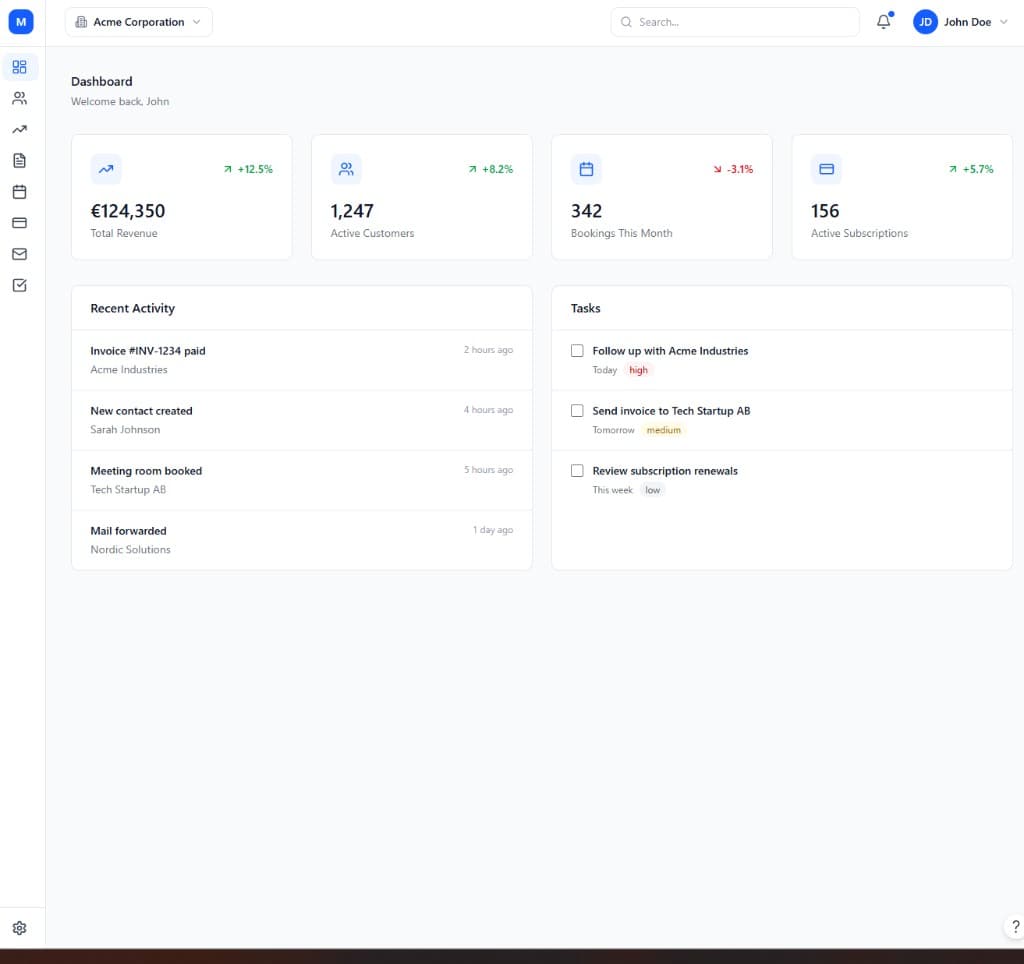
Every ModulCRM workspace starts from the same place: the CRM module. It holds your contacts, companies, deals, and the history of every conversation, email, and meeting attached to them. Instead of forcing you to buy a full sales-and-marketing suite on day one, the CRM module ships with exactly what a small or growing team needs to run a disciplined pipeline — nothing you have to click past, and nothing you are billed for before you use it.
Because the CRM module is the base every other module builds on, contacts and companies created here become the shared record that Invoice, Booking, Subscriptions, and the industry packs all read from. When a member books a desk in the Coworking module, or a client receives an invoice, that activity shows up on the same contact timeline you already use for sales notes. You never have to reconcile two versions of the same customer across separate tools.
As your team grows, the CRM module grows with it through the Growth and Enterprise tiers — automation and workflows, marketing campaigns, integrations, omnichannel support, and eventually AI-assisted scoring and journey orchestration. But you only step up a tier on the CRM module itself, not on every module you have enabled. That is the core of the pay-as-you-go model: depth where you need it, simplicity everywhere else.
Migrating into the CRM module is deliberately unglamorous: import a spreadsheet or connect an existing tool, map fields once, and start working from day one rather than spending weeks on a rollout project. Role-based security is available from the very first tier, so a small team can already separate what a sales rep sees from what an admin sees, without waiting for an enterprise contract to unlock basic data governance.
Teams choose the CRM module to replace scattered spreadsheets with one source of truth for every contact, deal, and conversation.
Keep people, companies, notes, and touchpoints together so sales and ops share the same truth.
Track leads and opportunities with clear stages, owners, and follow-ups.
Invoices, bookings, subscriptions, and industry packs attach to the same CRM entities.
None of this requires enabling any other module first. CRM is priced and tiered on its own, so a team can adopt it purely for what it does, and connect it to the rest of ModulCRM only when — and if — that becomes useful.
A typical path from setup to day-to-day use of the CRM module.
01
Bring in existing contacts and companies, or start fresh — each record keeps notes, tags, and interaction history in one timeline.
02
Define stages that match how you actually sell, then move leads through them with clear ownership and next steps.
03
Email integration and activity tracking capture calls, meetings, and messages against the right contact without manual data entry.
04
Turn on Invoice, Booking, Subscriptions, or an industry pack — they connect to the contacts and companies you already have.
CRM is used differently depending on the size and shape of the team running it, but these are the situations where it comes up most often.
Each module is available in Basic, Growth, and Enterprise — so you pay for depth only where you need it.
Basic covers the core crm workflow end to end, so a small team can run on it indefinitely without ever touching a higher tier. Growth adds the automation, multi-location, and reporting depth that matters once that workflow starts to strain under more volume or more locations.
Enterprise is aimed at organizations that need crm to behave like core infrastructure — with governance, advanced integrations, and, in several modules, AI-assisted features layered on top of everything included at Growth.
Basic
Core essentials
Growth
Scale & automate
Enterprise
Governance & depth
Common questions about the CRM module.
ModulCRM works best when modules share the same contacts and accounts.
Join the waitlist for ModulCRM updates and early pricing.